AI is becoming part of everyday work.
People are using AI to write emails, summarise meetings, analyse documents, research information, prepare presentations, organise tasks and communicate with customers. For small businesses and lean teams, these applications can make a noticeable difference because the same people often have to manage multiple responsibilities.
But using AI at work is not simply about finding the most powerful AI model or subscribing to as many tools as possible.
The real question is:
How can AI help you do your existing work faster, more consistently and with less repetitive effort?
This guide explains how AI productivity tools can be used in everyday work, which business tasks are suitable for AI, and how individuals and teams can introduce AI without unnecessarily changing the way they work.
What Are AI Productivity Tools?
AI productivity tools are software applications that use artificial intelligence to help people complete everyday tasks more efficiently.
Unlike specialised AI systems designed for a single industry, AI productivity tools are often used across many types of work.
Common examples include:
- Writing and editing
- Email drafting
- Meeting transcription and summaries
- Document analysis
- Research
- Brainstorming
- Presentations
- Data analysis
- Task management
- Knowledge management
- Customer communication
- Sales support
The technology can range from general-purpose AI assistants to AI features built directly into workplace software.
For example, Microsoft Copilot can work inside applications such as Word, Excel, PowerPoint and Teams, while Google Workspace with Gemini brings AI capabilities into familiar productivity applications. This type of integration allows people to use AI without completely changing their existing workflow.
Why Use AI for Everyday Work?
The strongest use cases for AI productivity tools are often relatively simple.
A person may spend 20 minutes writing an email, an hour summarising a meeting, or several hours reviewing documents. AI can help with the initial work so that the person can spend more time reviewing, deciding and acting.
Common benefits include:
Save time on repetitive tasks
AI can generate first drafts, summarise information and organise content in seconds.
Reduce administrative work
Tasks such as meeting notes, document formatting and routine communication can require less manual effort.
Work with more information
AI can help summarise large documents, extract important information and organise unstructured content.
Improve communication
AI writing tools can help improve clarity, tone, grammar and structure.
Give small teams more capacity
A small team can use AI to increase its output without needing to add a separate person for every repetitive task.
The goal is not necessarily to work more. It is to spend more time on work that requires human judgment.
The Most Useful AI Productivity Use Cases
AI can be applied to many parts of a normal working day. The most useful applications depend on the role and the type of work being performed.

1. AI for Writing and Email
Writing is one of the easiest places to start using AI.
AI writing tools can help with:
- Emails
- Proposals
- Reports
- Blog posts
- Product descriptions
- Internal announcements
- Customer responses
- Meeting follow-ups
Instead of asking AI to produce a final message with no review, a more practical approach is to use it as a first-draft assistant.
For example:
"Turn these meeting notes into a professional follow-up email with three action items and clear deadlines."
The person can then review the draft, add context and send it.
This approach keeps human judgment in the process while reducing the amount of time spent starting from a blank page.
2. AI for Meetings
Meetings generate a large amount of information that can easily be forgotten.
AI meeting tools can help with:
- Transcription
- Meeting summaries
- Action items
- Key decisions
- Follow-up tasks
- Searching previous conversations
Instead of manually writing notes throughout a meeting, employees can focus on the discussion while AI helps create a structured record afterwards.
This is particularly useful for sales calls, project meetings, customer interviews and internal discussions.
3. AI for Documents
Businesses work with documents constantly.
These can include:
- Contracts
- Reports
- Proposals
- Research papers
- Policies
- Customer documents
- Product documentation
- Internal knowledge bases
AI can help summarise long documents, extract specific information, compare documents and answer questions about their contents.
For example, an employee could ask:
"Summarise the main obligations in this contract and identify the sections that require action."
The output should still be reviewed, particularly when the document involves legal, financial or other high-impact decisions.
4. AI for Research
Research can consume significant amounts of time because employees often need to search multiple sources before reaching a useful conclusion.
AI research tools can help with:
- Initial research
- Topic exploration
- Competitor research
- Market research
- Summarising sources
- Comparing information
- Generating research questions
However, AI-generated research should not automatically be treated as verified information.
For important decisions, employees should check the underlying sources and confirm important facts.
5. AI for Presentations
Creating a presentation often involves several separate tasks:
- Organising information
- Creating an outline
- Writing slide content
- Designing the presentation
- Preparing speaker notes
AI can assist with several of these steps.
For example, an employee can provide a report and ask AI to create a presentation structure containing:
- Executive summary
- Key findings
- Supporting data
- Recommendations
- Next steps
The employee can then adjust the structure and create the final presentation.
6. AI for Data Analysis
AI is increasingly useful for people who work with spreadsheets and business data.
Depending on the software, AI can help users:
- Understand datasets
- Identify trends
- Explain formulas
- Summarise results
- Create charts
- Ask questions about data
- Generate reports
This can make data analysis more accessible to employees who are not professional data analysts.
However, important business decisions should not rely solely on an AI-generated interpretation. Data quality and the assumptions behind the analysis still matter.
7. AI for Customer Communication
Customer communication often contains repetitive questions.
AI can help customer-facing teams draft or answer common enquiries, summarise customer conversations and identify important information.
Common applications include:
- FAQ responses
- Email drafting
- Conversation summaries
- Customer support
- Response suggestions
- Translation
- Customer information retrieval
For example, a customer service employee could use AI to turn a long customer conversation into a short summary before responding.
More advanced customer service systems can handle routine enquiries directly, while more complex cases are passed to human employees. This distinction between AI assistance and full automation is important when designing a customer service workflow.
8. AI for Sales and CRM
Sales teams spend significant amounts of time entering information, researching prospects and preparing communications.
AI CRM tools can help with:
- Lead research
- Customer summaries
- Sales email drafts
- Call summaries
- CRM data organisation
- Follow-up suggestions
- Sales forecasting
The benefit is not necessarily replacing the salesperson.
Instead, AI can reduce the administrative work surrounding sales so the salesperson can spend more time speaking with customers.
9. AI for Marketing
Marketing teams can use AI to accelerate content and campaign-related work.
Common applications include:
- Content ideas
- Blog drafts
- Social media posts
- Email campaigns
- Ad copy
- Customer segmentation
- SEO research
- Image generation
- Video creation
AI is particularly useful for creating multiple variations of content quickly.
Human review remains important because effective marketing depends on brand positioning, customer understanding and accuracy rather than simply producing more content.
AI Tools for Different Types of Work
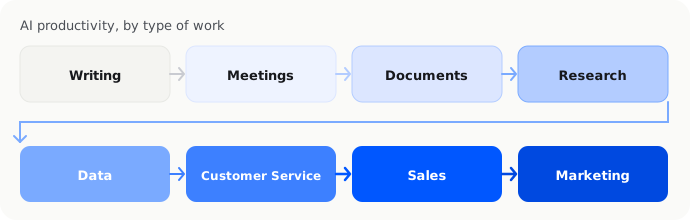
Rather than asking which AI tool is universally the best, it is more useful to match AI capabilities to the work being performed.
| Type of work | AI productivity application |
|---|---|
| Writing | Drafting, editing, rewriting |
| Replies, summaries, tone adjustment | |
| Meetings | Transcription, summaries, action items |
| Documents | Summarisation, extraction, comparison |
| Research | Research assistance, source organisation |
| Presentations | Outlines, slide content, speaker notes |
| Data | Analysis, formulas, reporting |
| Sales | Lead research, CRM assistance, follow-ups |
| Customer service | Response drafting, conversation summaries |
| Marketing | Content, campaigns, SEO and creative work |
| Knowledge management | Search, summaries, internal documentation |
| Task management | Planning, prioritisation and task assistance |
This task-based approach is also reflected in current AI productivity guides, which organise tools around practical workplace categories such as knowledge management, project management, communication, writing, scheduling and content creation.
AI Tools for Employees and Teams
AI productivity is not only an individual use case.

Teams can use AI to create shared workflows around information and communication.
For example:
Before a meeting
AI can summarise previous customer interactions and prepare relevant information.
During the meeting
An AI meeting tool can transcribe the conversation.
After the meeting
AI can create a summary and identify action items.
During follow-up
AI can help draft emails and update relevant records.
This creates a continuous workflow rather than treating AI as an isolated chatbot.
Collaboration and integration are therefore important considerations when choosing AI productivity software. Current small-business AI guides similarly emphasise whether a tool fits existing software and allows teams to work together rather than creating another disconnected application.
AI Productivity Tools vs AI Automation
There is an important difference between using AI to help with a task and using AI to automate a process.
For example:
AI productivity
An employee asks AI to draft a customer email.
The employee reviews it and sends it.
AI automation
A customer enquiry arrives → AI identifies the enquiry type → the customer record is updated → the appropriate workflow is triggered → a response is prepared.
The first improves an individual's productivity.
The second changes the underlying business process.
This distinction matters because businesses should not try to automate everything when a simple productivity improvement would solve the problem.
Article 3 in this content series focuses more specifically on AI business automation and AI workflow automation, while this article focuses on how people use AI in everyday work.
How to Introduce AI Into Everyday Work
Businesses do not need to introduce AI across every department immediately.
A practical approach is to start with existing work.
Step 1: Identify repetitive work
Look at the tasks employees perform every day or every week.
Examples include:
- Writing similar emails
- Summarising meetings
- Preparing reports
- Searching documents
- Formatting information
- Answering repetitive questions
Step 2: Identify where AI can assist
Ask whether AI can handle the first draft, summarisation, organisation or analysis.
Step 3: Keep a human review step
Employees should remain responsible for checking important information and approving outputs where appropriate.
Step 4: Measure the improvement
Track whether the tool actually saves time or improves the quality of work.
Step 5: Expand gradually
Once employees are comfortable with one use case, introduce AI into another workflow.
This prevents businesses from accumulating multiple AI subscriptions without knowing whether they provide meaningful value.
What Should Businesses Look for in an AI Productivity Tool?
The most useful AI productivity tool is not necessarily the one with the longest feature list.
Consider the following:
Ease of use
Employees should be able to start using the tool without extensive technical training.
Integration
The tool should ideally work with the applications employees already use.
Security
Businesses should understand how their information is handled, especially when dealing with customer, financial or confidential data.
Accuracy
AI outputs should be appropriate for the intended task and easy for employees to verify.
Cost
Consider the time saved and business value rather than looking only at the monthly subscription.
Collaboration
For teams, consider whether information can be shared and whether employees can work together using the same system.
Scalability
A tool that works for one employee should ideally have a path to supporting a larger team.
These criteria align with current small-business guidance, where efficiency, ease of use, affordability, integration and collaboration are recurring considerations when evaluating AI software.
Do Small Businesses Need Many AI Tools?
Not necessarily.
One common mistake is building an AI stack simply because there is a new AI tool for every possible task.
A business might end up with:
- One AI writing tool
- One meeting tool
- One research tool
- One CRM tool
- One customer service tool
- One automation platform
- One document tool
- One AI image generator
The result can be more software to manage rather than greater productivity.
A better approach is to identify the most important workflows first and adopt tools that fit those workflows.
In some cases, one general-purpose AI assistant may cover several everyday needs. In others, a specialised tool may provide much deeper functionality.
When AI Productivity Becomes Business Operations
As AI becomes more capable, the boundary between productivity software and business software is becoming less clear.

An employee may begin by using AI to draft an invoice email.
The next step could be using software that automatically processes the invoice, records the relevant information and updates the business system.
This is where AI productivity starts to connect with business operations.
Current business AI platforms increasingly combine assistants, workflow automation, data access and AI agents rather than treating them as completely separate functions.
For a small business, this can eventually mean moving from:
"AI helps me do my work."
to:
"AI helps the business get the work done."
That is a different level of AI adoption and is more closely related to business automation.
Where InstantFlow AI Fits
InstantFlow AI focuses on the business-operations side of AI.
It is designed for solo founders and small businesses that need help managing recurring business operations such as expenses, quotes, invoices, cash flow and back-office work.
This is different from using a general AI assistant to write an email or summarise a document.
The distinction is useful:
AI productivity tools help people perform individual tasks more efficiently.
AI business operations software helps manage recurring business workflows and operational information.
A business may therefore use both.
For example, an owner could use a general AI assistant for research and writing while using InstantFlow AI for recurring operational and financial administration.
The Future of AI Productivity
AI productivity tools are moving from simple text generation towards more contextual assistance.
Instead of asking an AI tool to generate an answer from scratch, employees can increasingly expect AI to understand documents, conversations, business information and existing workflows.
The next stage is AI that can not only suggest what should happen next but can also perform appropriate actions with the user's permission.
However, this does not eliminate the need for people.
Businesses still need human judgment for decisions, customer relationships, sensitive information and situations where accuracy is critical.
The practical opportunity is to let AI handle more of the repetitive work while people remain focused on work where human context matters.
Frequently Asked Questions
What are AI productivity tools?
AI productivity tools are software applications that use artificial intelligence to help people complete everyday work more efficiently. They can assist with writing, meetings, research, documents, data analysis, communication and task management.
How can AI improve productivity at work?
AI can reduce time spent on repetitive activities such as drafting emails, summarising meetings, analysing documents, preparing reports and organising information. It can also help employees process information and create first drafts more quickly.
What are the best AI tools for everyday work?
The appropriate tool depends on the task. General AI assistants can help with writing and research, while specialised tools can support meetings, documents, project management, CRM, customer service, marketing and data analysis.
Can AI productivity tools replace employees?
AI productivity tools are generally designed to assist people with tasks rather than automatically replace entire jobs. Businesses still need people for judgment, decision-making, customer relationships and reviewing important outputs.
Should a small business use multiple AI tools?
Not necessarily. A small business should start with the workflows that create the most repetitive work and adopt tools that solve those problems. Adding too many disconnected AI tools can create unnecessary complexity.
Conclusion
AI productivity is becoming a practical part of everyday work.
Employees can use AI to write, research, summarise, analyse, communicate and organise information more efficiently. Teams can also integrate AI into meetings, customer communication, sales and knowledge management.
The most effective approach is not to use AI everywhere.
It is to identify where AI can remove repetitive work while keeping people responsible for judgment and important decisions.
Once a business understands how to use AI for individual tasks, it can take the next step towards AI workflow automation and AI business operations.
That is where AI moves from helping people work faster to helping the business operate more efficiently.

Michael Tang · Digital Content Manager
Focused on digital content, AI tools and enterprise technology trends, researching and distilling practical information that turns complex technology and AI applications into clear, accessible content for business owners and professionals.