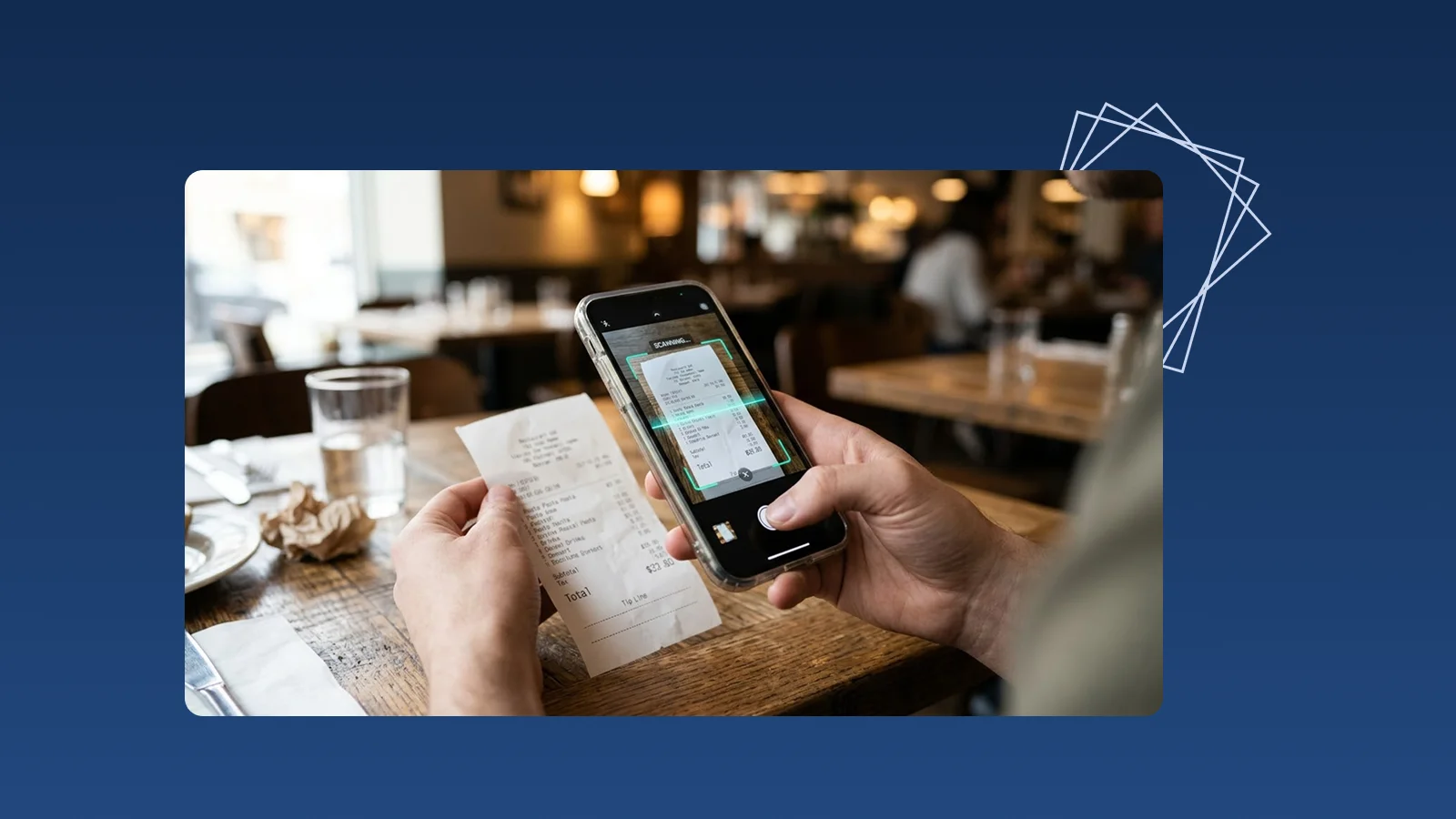
Receipt scanning is the process of capturing a paper receipt as an image and using OCR and document recognition to extract useful fields such as merchant, date, currency, total, receipt number, and identifiable line items. To become a usable business record, the result must also be verified, categorised, and connected to payment and business context.
A photograph solves only the risk of losing the paper. A complete receipt-scanning workflow should also answer who paid, how they paid, what the purchase was for, which project or location it belongs to, and whether someone has checked the extracted data.
The receipt-scanning workflow in five steps
1. Capture the receipt promptly
Thermal paper fades, and small receipts are easily damaged or misplaced. Capture the document soon after payment, while the payer still remembers the purpose and payment method.
2. Improve the image before OCR
Place the receipt on a flat, contrasting surface. Keep all edges in frame, hold the camera directly above it, focus on the text, and avoid fingers, shadows, glare, and cropped totals. For long receipts, make sure the merchant, line items, and final amount remain readable.
3. Extract text and structured fields
OCR converts the printed image into machine-readable text. Receipt-specific document recognition then interprets the layout and identifies fields such as:
- merchant or store name;
- transaction date and time;
- receipt or transaction number;
- currency, subtotal, discount, service charge, and total;
- identifiable products or services;
- payment method when it appears on the receipt.
4. Verify the result against the image
A receipt can contain several plausible amounts: subtotal, tax, tip, change, card total, and final paid amount. The system may read every number correctly but select the wrong one. Verify merchant, date, currency, and total, then check whether line items have been omitted or shifted.
5. Add the context the receipt cannot provide
The paper may not identify the employee who paid, the company card used, the client or project, the location, whether reimbursement is required, or the business purpose. Add this information immediately instead of trying to reconstruct it at month-end.
Receipt image vs searchable PDF vs structured expense record
| Output | What it accomplishes | What is still missing |
|---|---|---|
| Photo or PDF | Preserves the appearance of the paper | Merchant, date, and amount may not be searchable |
| Searchable PDF | Makes recognised text searchable | Fields may not be structured or categorised |
| OCR field extraction | Places merchant, date, total, and other values in named fields | Values still require review and business context |
| Usable expense record | Connects the image, fields, category, payment method, purpose, and status | Exceptions and accounting treatment still require an owner |
“Scanned” should therefore be a stage, not the final status. A team may use statuses such as awaiting verification, missing context, categorised, or complete.
Why receipt scans fail
Faded thermal paper
Low-contrast printing can cause missed merchant names, dates, and totals. Scan promptly and improve lighting or contrast while retaining the original image.
Glare, folds, and perspective
Glossy surfaces, curled paper, stains, and angled photos can distort characters or hide numbers. Flatten the receipt where possible and capture it from directly above under even light.
Long receipts and multiple totals
Restaurant, supermarket, and wholesale receipts may include discounts, service charges, tips, taxes, change, and several amount lines. A successful scan must identify the final paid amount, not merely detect a number near the bottom.
Mixed languages and handwritten notes
Receipts may combine different languages, abbreviations, handwritten tips, or manual corrections. The workflow should preserve the original image and make uncertain fields easy to edit instead of treating every result as final.
A practical receipt-scanning test with InstantFlow
Select ten paper receipts that represent the documents your business actually receives: small merchants, restaurants, transport, office supplies, long item lists, mixed languages, and several payment methods. Upload them to InstantFlow and verify the merchant, date, document number, currency, amount, and identifiable line items against the original images.
InstantFlow then turns the verified capture into more than a scan. It automatically categorises the expense and lets the user add cash, company card, bank transfer, employee-paid, or another payment method, together with customer, project, location, or business-purpose context. The result can be searched by supplier, period, category, or payment method rather than left inside an image folder.
Managers can also ask Genie, the AI business agent, questions such as “Which receipts are still missing a payment method?”, “Which expense category is highest this month?”, or “How much have we spent with this supplier?”. Users who prefer a standard application can review and edit the same records through the SaaS interface.
This test evaluates three things at once: capture accuracy, correction effort, and whether the extracted data is useful after scanning. Explore AI expense management, start using InstantFlow, or book a demonstration.
How to establish a team receipt-scanning policy
A simple policy should define:
- Submission timing: ideally on the payment date or within a short fixed period.
- Responsible person: the payer, purchaser, or assigned administrator.
- Required context: payment method, business purpose, project, location, and reimbursement status.
- Original-document handling: how the physical receipt is stored or passed to the responsible person.
- Verification ownership: who resolves unreadable, duplicate, incomplete, or unusual records.
- Duplicate checks: how receipt number, date, merchant, and amount are used to flag possible duplicates.
- Accounting handoff: which fields and attachments the bookkeeper or accountant receives.
The policy does not need to be long, but every receipt needs a completion status and an owner for the next step.
Are free receipt-scanning tools suitable for business records?
A free scanner may be enough for an occasional image or text conversion. Before using one for business records, check whether it:
- extracts structured fields instead of returning a block of text;
- supports the languages and layouts the business receives;
- keeps the original image beside editable values;
- limits monthly scans, exports, storage, or file formats;
- explains how uploaded data is stored, used, and deleted;
- places the tool's logo on outputs instead of the business's branding;
- supports categories, payment methods, and business-purpose context.
If every extracted value must still be retyped into another system, the tool has reduced image capture effort but not the expense-recording workload.
How should scanned receipts be handed to an accountant?
An image folder alone is not a complete handoff. The record should include the original receipt, merchant, date, currency, amount, category, payment method, payer, purpose, project context, and any unresolved exception.
With InstantFlow, authorised accounting firms can download client data through the Accounting Portal, reducing repeated file preparation and follow-up. Final accounting classification and professional treatment remain part of the agreed workflow between the business and its accounting provider.
Frequently asked questions
Is receipt scanning the same as receipt OCR?
Not exactly. Scanning creates the image. OCR reads text from that image. Receipt-specific extraction goes further by identifying fields such as merchant, date, currency, total, payment method, and line items.
Can a phone replace a document scanner for receipts?
For most day-to-day receipts, a phone is sufficient when the document is fully in frame, sharply focused, evenly lit, and free from glare. A dedicated scanner may be faster for high-volume batches, long documents, or multi-page processing.
Can a scanned receipt be treated as a complete expense record?
The scan preserves the document, but the business still needs to verify key fields and add category, payment method, payer, purpose, and project or location context. Duplicate and unusual records may also require review.
How should a business test receipt-scanning accuracy?
Use real receipts with different merchants, languages, lengths, image quality, and payment methods. Check merchant, date, currency, total, and line items, then measure how clearly uncertain fields are flagged and how many steps corrections require.
When is a full receipt-management system more useful than a scanner?
Scanning and OCR may be enough when the goal is searchable documents. A receipt-management system is more useful when the business needs ongoing categorisation, payment-method tracking, expense queries, team review, and accounting handoff.
Conclusion
Useful receipt scanning does more than move paper into cloud storage. It connects the original image with verified fields, payment details, business purpose, category, and review status.
Start with the paper receipts most likely to be lost. Set a prompt capture rule, define the required context, and assign an owner for exceptions. When month-end no longer involves guessing the purpose, finding the payer, and retyping every amount, receipt digitisation is doing real operational work.

Michael Tang · Digital Content Manager
Focused on digital content, AI tools and enterprise technology trends, researching and distilling practical information that turns complex technology and AI applications into clear, accessible content for business owners and professionals.